

Remote checkouts of materials from the library's print collection have spiked since we started issuing the new Virtual Library Card!
If you have a card “Sign In” at http://library.virginiadot.org/ and check out or renew items right from your desk. We'll even ship stuff to you free with one click. To get a Card, go here: http://library.virginiadot.org/V92004/OPAC/Login.aspx
But I'm starting to wonder if we “buried the lead story” by not doing a better job of explaining the hidden power of your Library Card?
Truth is, your Card also unlocks the door to more than 1 million online standards, E-Books and articles from all of VDOT’s subscription databases—from any connected PC, tablet or smartphone. Connecting “remotely” makes resources like AASHTO E-books, ASTM standards, and subscription articles available whenever you need them, regardless of your device or your location.
Try This 3-Step Process When You're Off the VDOT Network
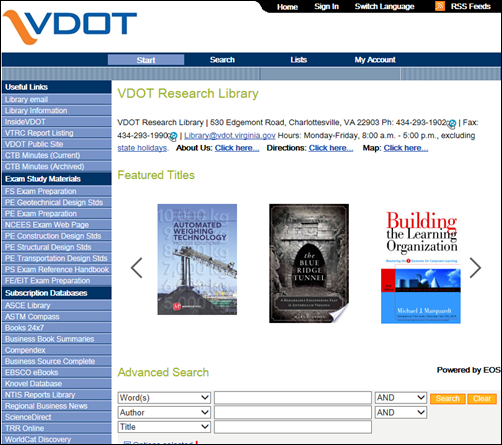
1.Go to the Library Catalog
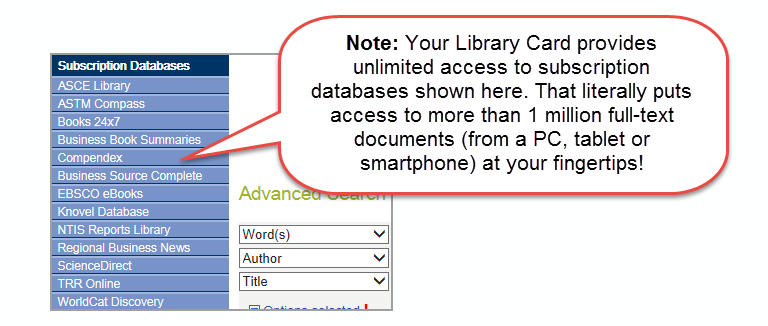
2. Select a resource from “Subscription Databases” (left-hand menu)
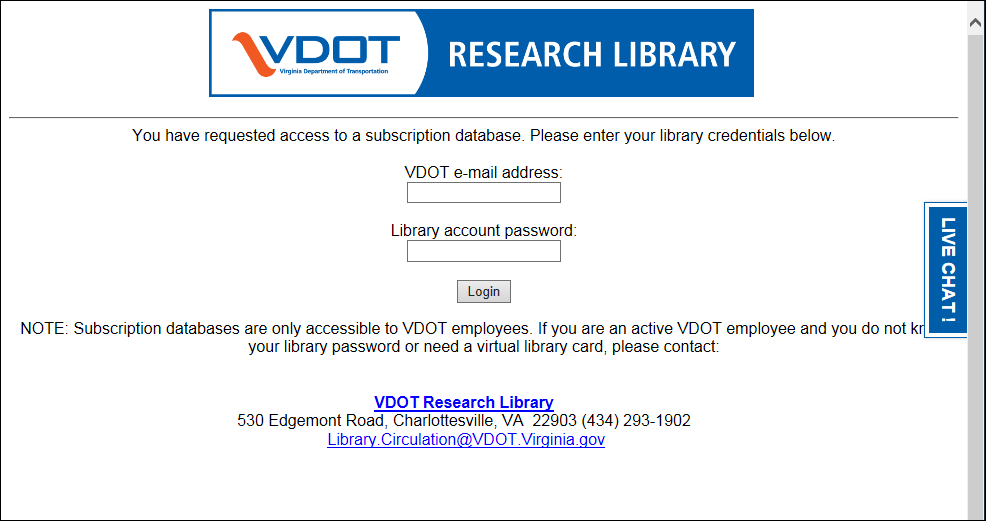
3. When prompted, enter your Library Card credentials and you’re in!
Bonus: Since you’re on a personal device, why not use a browser (mine favorite is Chrome) that has the “Save Password” feature? After that you’ll never have to enter it again. Having trouble? Check out these step-by-step instructions.
Commenting on blog posts requires an account.
Login is required to interact with this comment. Please and try again.
If you do not have an account, Register Now.